| config | ||
| docs | ||
| logs/rsl_rl/velocity_flat_terrain_gen2 | ||
| outputs | ||
| scripts | ||
| source/engineai_lab | ||
| .gitignore | ||
| MANIFEST.in | ||
| pyproject.toml | ||
| README.md | ||
| setup.py | ||
| uv.lock | ||

EngineAI-Lab
EngineAI Lab is a python package for training and deploying policies for EngineAI Robots using Isaac Lab and Isaac Sim.
| Training | Sim2Sim | Deploy |
|---|---|---|
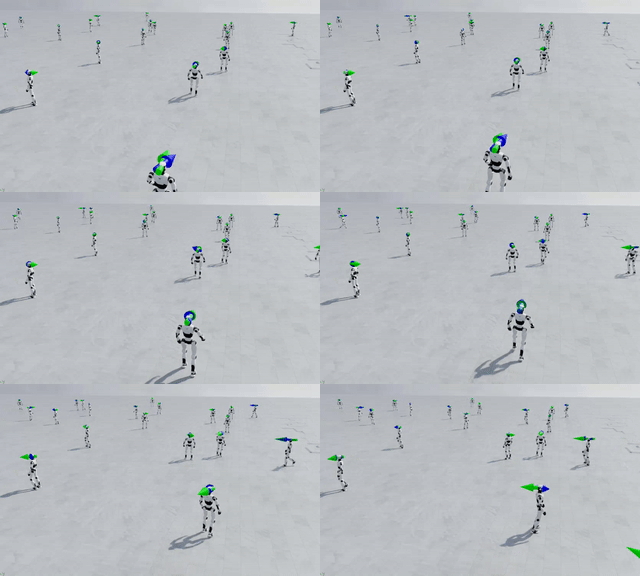 |
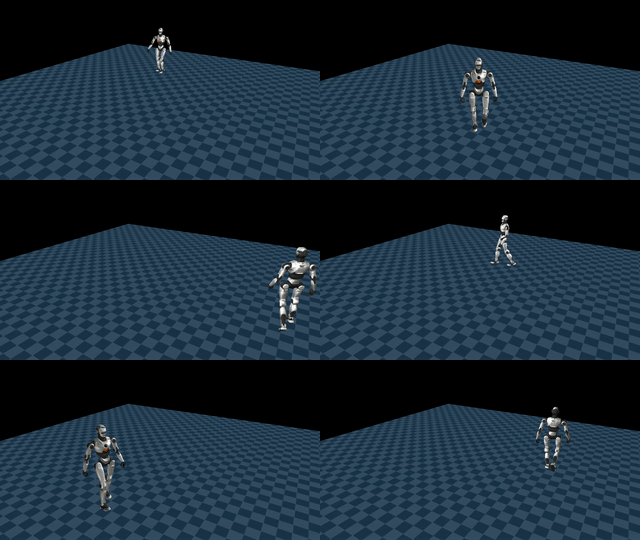 |
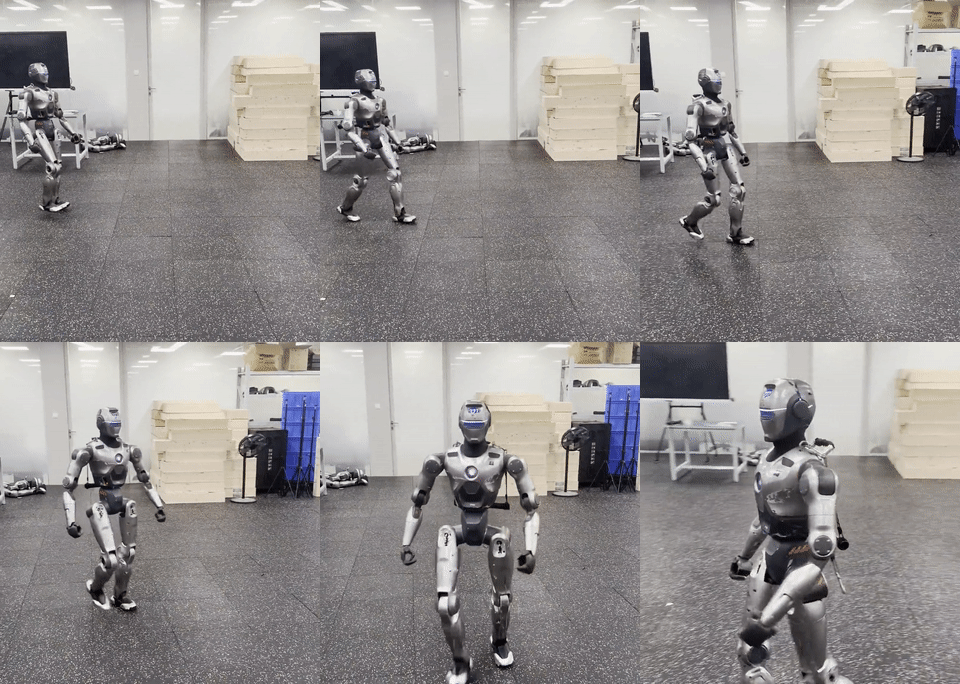 |
Structure
engineai-lab
├── config
├── dataset
│   ├── config
│   └── data
├── scripts
└── source
    └── engineai_lab
        ├── algorithms
        ├── assets
        │   ├── gen2
        │   │   ├── meshes
        │   │   └── urdf
        │   └── pm01
        │       ├── meshes
        │       └── urdf
        ├── robots
        ├── tasks
        │   └── velocity
        │       ├── config
        │       │   ├── common
        │       │   ├── gen2
        │       │   │   ├── agents
        │       │   │   └── stages
        │       │   └── pm01
        │       └── mdp
        └── utils
QUICKSTART
1. Create a Conda Environment
Create and activate a new environment with Python 3.11:
conda create -n engineai_lab python=3.11
conda activate engineai_lab
2. Install Prerequisites
-
Install Isaac Sim
Follow the official installation guide: Isaac Lab - Pip Installation.
Since you've already created the engineai_lab environment, follow the guide from "Installing Dependencies" up to (but not including) the "Installing Isaac Lab" section.
-
Clone & Setup Isaac Lab
Clone the repository and switch to the recommended branch:
git clone https://github.com/isaac-sim/IsaacLab.git
cd IsaacLab
git checkout 4df6560e
./isaaclab.sh -i rsl_rl   # Install rsl-rl dependency
We highly recommend using the main branch(4df6560e) of Isaac Lab, as it can support rsl-rl-lib >= 5.0 and Isaac Sim >= 5.0 .
3. Install this Package
Once the prerequisites are set up, install the package in editable mode:
pip install -e .
Usage
For a step-by-step Chinese guide to importing and training a new humanoid robot, see EngineAI Lab 新人形机器人行走训练攻略.
Gen2 的阶段划分、训练/续训/迁移命令和配置修改约定见 Gen2 分阶段训练说明; URDF、mesh 与简化碰撞体约定见 Gen2 资产说明。
Supported Robots
This repository currently supports the following environments from the EngineAI Robots family:
| Robot | Task | Description |
|---|---|---|
| PM01 | Flat-PM01-v0 |
Basic flat-terrain locomotion |
| PM01 | Flat-AMP-PM01-v0 |
AMP-based motion imitation on flat terrain |
| Gen2 | Flat-Gen2-v0 |
基础低速行走,包含站立指令采样 |
| Gen2 | Flat-Gen2-Speed-v0 |
平地速度与稳定性巩固 |
| Gen2 | Flat-Gen2-Natural-v0 |
自然对侧摆臂 |
| Gen2 | Flat-Gen2-Fast-v0 |
课程提升至 1.6 m/s |
| Gen2 | Flat-Gen2-Sprint-v0 |
课程提升至 3.0 m/s |
| Gen2 | Flat-Gen2-NaturalRun-v0 |
3.0 m/s 自然跑姿微调 |
More robots and environments are coming soon!
Training a Policy
 python scripts/train.py --task=Flat-PM01-v0  --num_envs 4096 --headless --run_name <name>
 python scripts/play.py  --task=Flat-PM01-v0 --num_envs 128 --load_run <name>
Gen2 Staged Training
基础阶段从头训练:
/home/xtkuang/App/anaconda3/envs/engineai_lab/bin/python scripts/train.py \
  --task Flat-Gen2-v0 \
  --num_envs 4096 \
  --max_iterations 1500 \
  --run_name gen2_walk_v0 \
  --device cuda:0 \
  --rl_device cuda:0 \
  --headless
跨阶段只迁移策略权重,例如 Fast -> Sprint:
/home/xtkuang/App/anaconda3/envs/engineai_lab/bin/python scripts/train.py \
  --task Flat-Gen2-Sprint-v0 \
  --num_envs 4096 \
  --resume True \
  --load_mode finetune \
  --load_run '<fast_run_directory>' \
  --checkpoint model_<iteration>.pt \
  --run_name gen2_sprint_v1 \
  --device cuda:0 \
  --rl_device cuda:0 \
  --headless
同一 Task 中断续训才使用 --load_mode resume。所有阶段和对应 Play Task 的完整表格见上面的 Gen2 分阶段训练说明。
Evaluating a Policy
 python scripts/train.py --task=Flat-AMP-PM01-v0  --num_envs 4096 --headless --run_name <name>
 python scripts/play.py --task=Flat-AMP-PM01-v0 --num_envs 128 --load_run <name>
Replace <name> with the name of your training run (found in logs/rsl_rl/).
Deployment
To deploy a trained policy on real hardware, convert it to the MNN format for efficient inference.
1. Export PyTorch Policy to ONNX
(Ensure your training script supports ONNX export)
2. Build MNN-Converter
git clone https://github.com/alibaba/mnn
cd mnn
mkdir build && cd build
cmake .. -DMNN_BUILD_CONVERTER=ON
make -j8
3. Convert ONNX into MNN
./MNNConvert -f ONNX \
  --modelFile path_to_your_policy.onnx \
  --MNNModel your_policy.mnn \
  --bizCode MNN
For detailed instructions on integrating the MNN model with EngineAI robots, see: engineai_robotics_native_sdk.
Support
If you have any questions about using this repository, we're here to help!
- Report Issues: Found a bug or have a feature request. Please open a new issue on our GitHub Issues page.
- Email Us: For general inquiries or collaboration opportunities, feel free to reach out at info@engineai.com.cn.
License
This checkout does not currently contain a LICENSE file, while its package metadata and the upstream README use different license labels. Add a license file and align the metadata before redistribution.
Acknowledgement
This repository is built upon the support and contributions of the following open-source projects. Special thanks to:
- IsaacLab — The foundational framework for training and running simulation experiments.
- rsl_rl — High-performance reinforcement learning library for legged robots.
- AMP_for_hardware — Implementation of Adversarial Motion Priors (AMP) for sim-to-real transfer.
- BeyondMimic — Inspiration for project structure and valuable feature implementations.
- MNN — Lightweight, high-performance inference engine for on-device deployment.
- engineai_robotics_native_sdk — Official SDK for deploying policies on EngineAI robotic hardware.